 Genoramo
Genograms and family trees, drawn with care
Genoramo draws genograms for therapists, psychologists, doctors and social workers, and family trees for families who want to keep their story. Everything you enter stays on your own computer.
30 days free with everything in it · Windows 10 and 11 · no account needed
Genogram edition
Genograms that keep up with the family you are working with
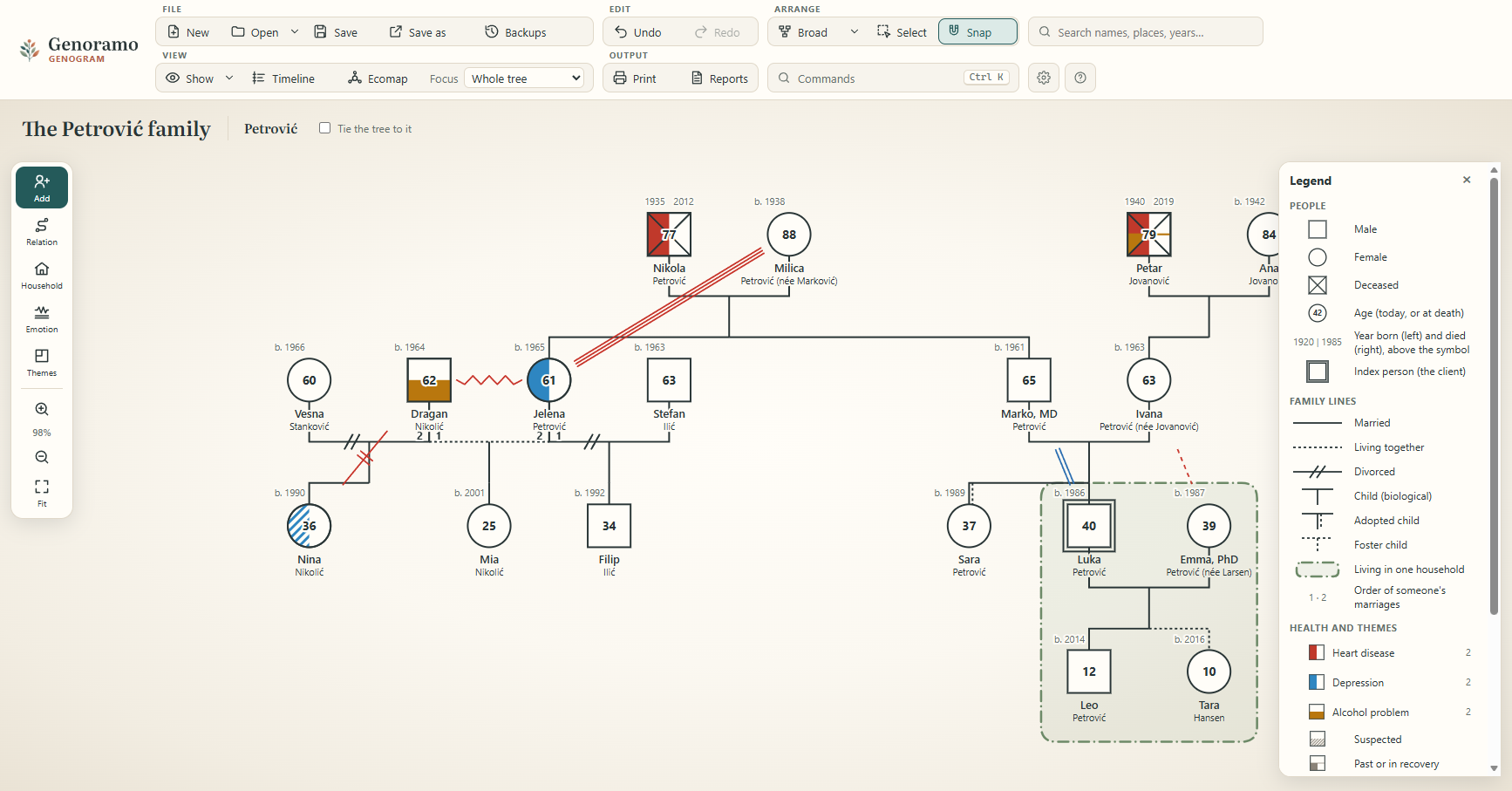
It follows the genogram notation of Monica McGoldrick and Randy Gerson: three generations or more, with what happened between them, on one page.
Standard notation
Symbols, marriages, separations and divorces, pregnancies, miscarriages, twins, adoption and foster care, as in McGoldrick and Gerson.
Emotional relationships
The relationship lines of McGoldrick, Gerson and Petry: close, fused, hostile, distant, cut off, focused on, caretaking or abusive, one way or both ways, with what happened and when.
Health and other themes
Mark conditions such as depression, addiction or heart disease in the symbols, with a legend that explains them.
Households and the index person
Show who lives together, and mark the person the genogram is about.
Ecomap and timeline
The family among the systems around it, and the family's history year by year, including what happened in relationships.
Initials only
One click shows everyone by their initials, on screen and in printouts, to discuss a case in supervision or teaching.
Family tree edition
Your family's story, with a face for everyone
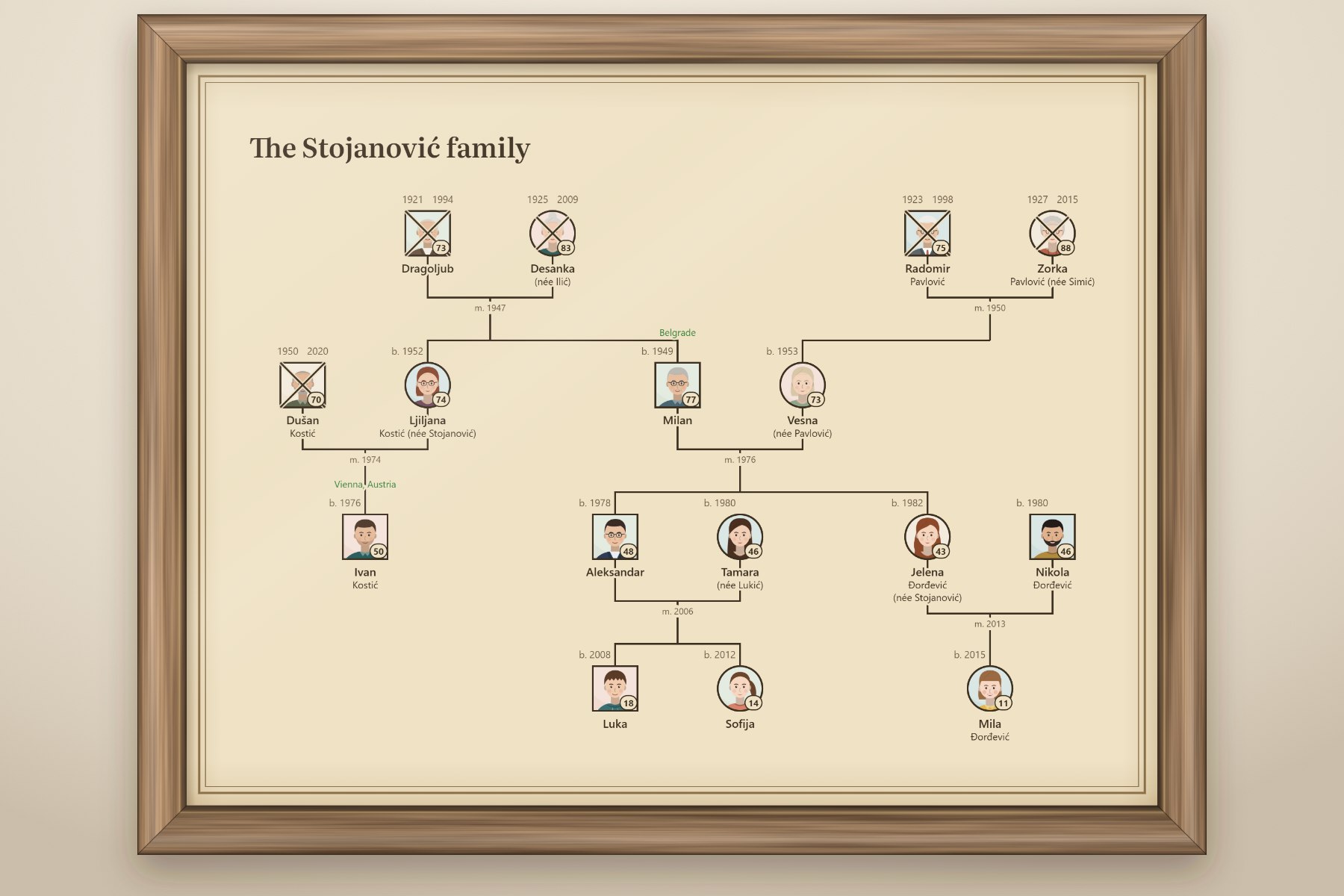
Put in the people you know, add a photo of each, where and when they were born and married, what they did and where life took them. Genoramo arranges the generations for you.
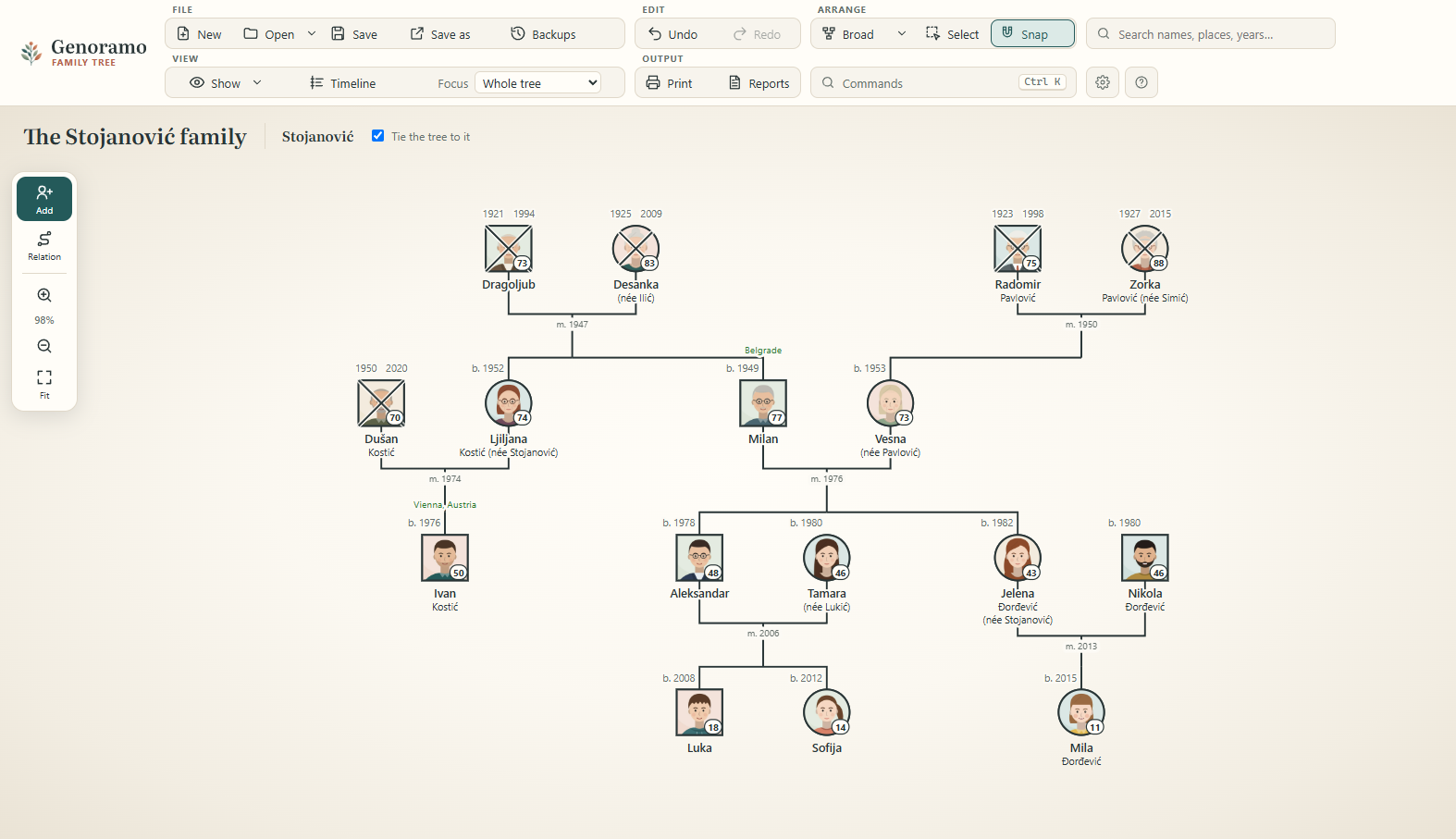
 Dragoljub1921–1994
 Desanka1925–2009
 Radomir1923–1998
 Zorka1927–2015
 Dušan1950–2020
 Ljiljanab. 1952
 Milanb. 1949
 Vesnab. 1953
 Ivanb. 1976
 Aleksandarb. 1978
 Tamarab. 1980
 Jelenab. 1982
 Nikolab. 1980
 Lukab. 2008
 Sofijab. 2012
 Milab. 2015
A photo for everyone
Each person's photo fills their symbol in the tree; move and zoom it until the face sits just right.
Places, dates and stories
Births, marriages and deaths with their places, jobs, schooling, where people lived and the moments that mattered.
Sources
Note where each fact comes from, a parish register, a letter or a family album, so the tree can be trusted.
Surnames as families use them
Tie the tree to the family surname: those who carry it are shown by first name, everyone else with their own surname and their maiden name.
Who is who
Click two people to see how they are related, from cousin to great-grandmother, in English and Serbian.
Bring your tree with you
Open GEDCOM files from Ancestry, MyHeritage, Gramps and other programs, and export to PDF, images or Excel.
The parchment print
A tree worth framing
Print your family tree in the Heritage style: on warm old parchment, its edges darker with age, in dark brown ink inside a fine double frame, with everyone's photo. On one page, or as a poster over several sheets. It also saves as a large image for a print shop.
A gift for parents and grandparents, a wedding or an anniversary.
Your family's data stays with you
On your computer only
Genoramo is a program on your computer, not a website. Trees are kept on your computer and in files you save. Nothing is sent to us or anyone else.
Works offline
No internet connection is needed to draw, save or print. Genoramo keeps your work as you go, with automatic backup copies.
Your own files
Trees are saved as .gnr files that you can keep, back up or send. Double-click one to open it.
For professionals: Genoramo supports your work under data protection laws such as the GDPR, since no client data ever leaves your computer. Securing the computer itself (a password, disk encryption) remains your responsibility.
Pick an edition, monthly or yearly
Every feature of the edition is included. Cancel at any time.
Family tree edition
or €48 a year, save 20%
- Photos, places, dates, events and sources
- The Heritage parchment print and posters
- Opens GEDCOM files from other programs
- Use on 2 computers
- All updates while you subscribe
VAT or sales tax is added where it applies and shown at checkout. Subscriptions renew each month or year until you cancel. 14-day money-back guarantee.
Try Genoramo free for 30 days
The trial has everything in it. Printouts and exports from the trial carry a "trial version" mark. When you buy a licence, you enter the key you receive and keep working on the same trees.
Download for Windows Windows 10 and 11 · about 60 MB
Windows may say that it protected your PC from an unrecognised app: click "More info", then "Run anyway". Genoramo installs for you only and needs no administrator rights. A Mac version is in preparation.
Questions
Which edition do I need?
The Genogram edition is for professional work with families: emotional relationships, health themes, households and ecomaps. The Family tree edition is for keeping your own family's history, with photos and the parchment print. You can try both during the trial.
Do I need an internet connection?
Only to download Genoramo and to buy a licence. Drawing, saving and printing work offline.
Where are my trees kept?
On your computer, in Genoramo's own folder, with automatic backup copies, and in any .gnr files you save. We never receive them.
How do monthly and yearly licences work?
After you pay, you receive a licence key by e-mail. It works until the end of the month or year you paid for; with each renewal you receive a new key. If you stop, your trees stay on your computer and in your files.
What happens when the trial ends?
Genoramo asks for a licence key. Your trees are safe: you can still save them to a file, and they open as they were once you enter a key.
Can I move Genoramo to a new computer?
Yes. A licence is for 2 computers; install Genoramo on the new one and enter your key.
Can I bring trees from other programs?
Yes: Genoramo opens GEDCOM files from programs such as Ancestry, MyHeritage and Gramps.